 Docs
Docs
Proceso de retorno de datos
Configuración
Configura el proceso de devolución de datos para sincronizar el dispositivo y el modelo de datos.
-
Agregalo al flexygo repositorio de procedimientos almacenados en Área de trabajo de administrador > Logica y Reglas > Procedimientos Almacenados de DB.
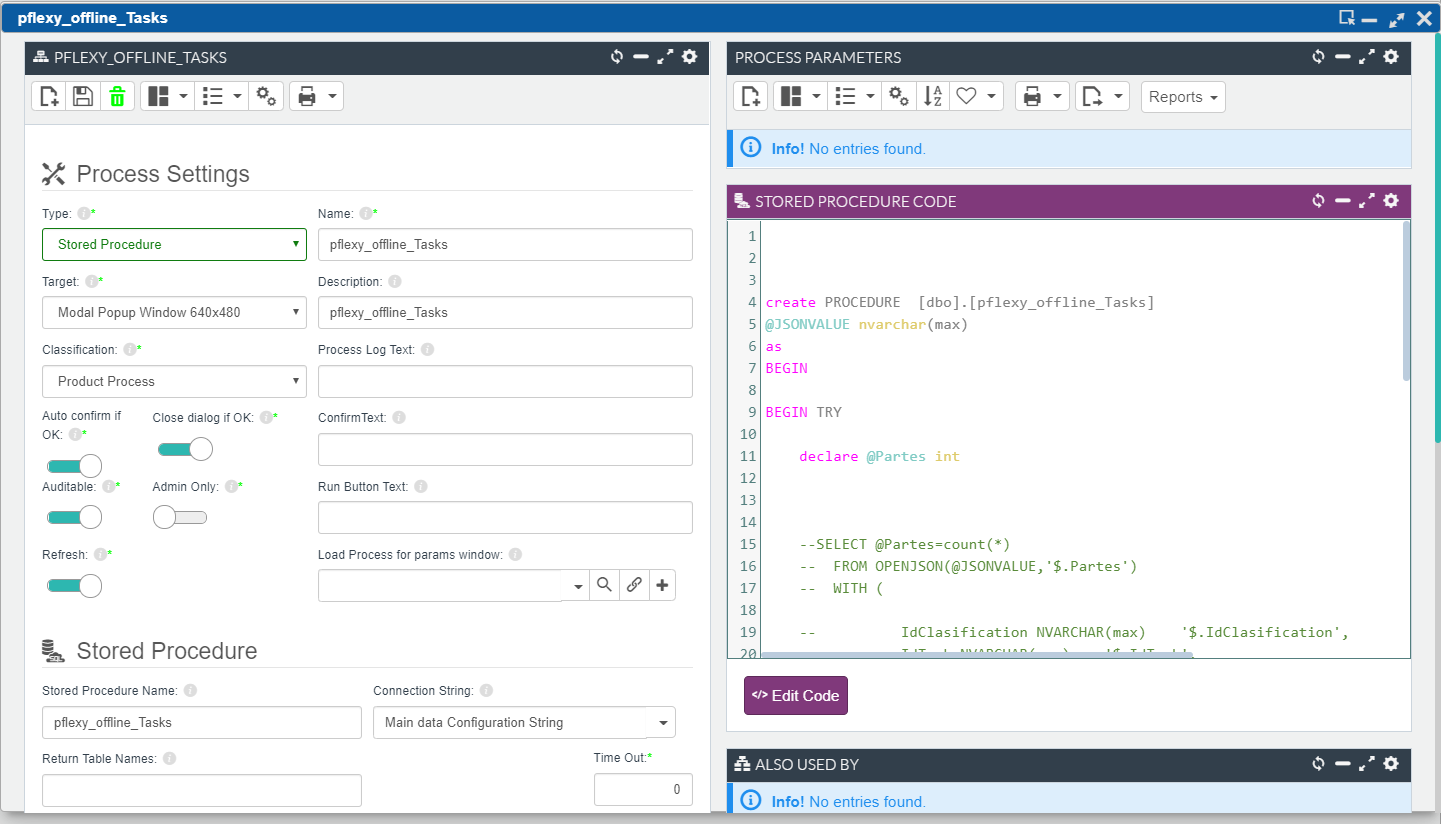
-
Edita la aplicación offline y asigna el proceso:
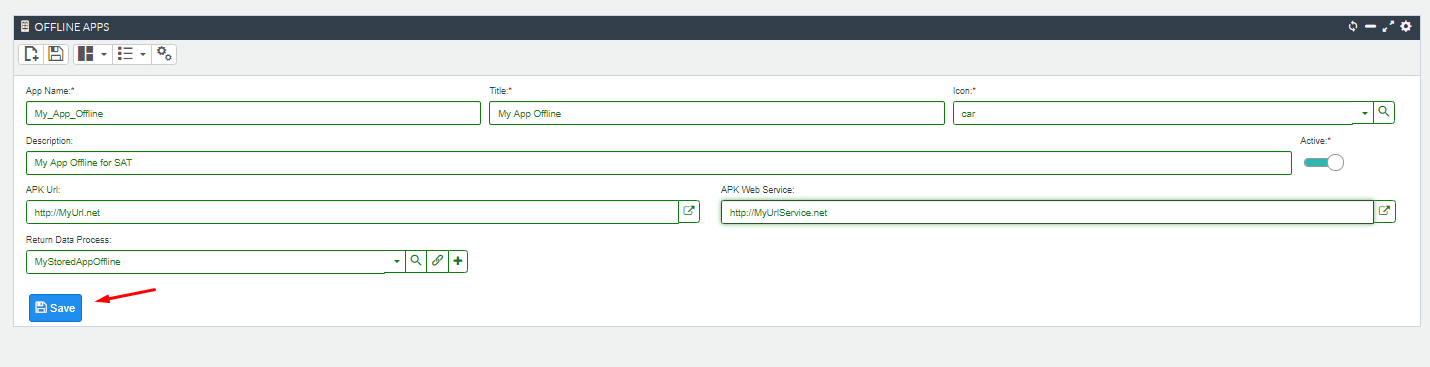
-
Ejemplo de almacenado -
Depuración del proceso de retorno
VB.net
SET ANSI_NULLS ON
GO
SET QUOTED_IDENTIFIER ON
GO


ALTER PROCEDURE  [dbo].[pflexy_offline_Partes]
@JSONVALUE nvarchar(max),
@JSONImages nvarchar(max) OUTPUT,
@JSONDocuments nvarchar(max) OUTPUT
as
BEGIN

BEGIN TRY

    declare @Partes int
    -- Accessing tables and field on JSONVALUE PARAMETER
    SELECT @Partes=count(*)
      FROM OPENJSON(@JSONVALUE,'$.Partes')
      WITH (    IdParte        NVARCHAR(max)    '$.IdParte',
                NumParte        NVARCHAR(max)    '$.NumParte',
                IdTipoParte        NVARCHAR(max)    '$.IdTipoParte',
                IdCliente        NVARCHAR(max)    '$.IdCliente',
                IdArticuloaaa        NVARCHAR(max)    '$.IdArticuloaaa',
                Descrip        NVARCHAR(max)    '$.Descrip',
                FechaParte        NVARCHAR(max)    '$.FechaParte',
                IdEstado        NVARCHAR(max)    '$.IdEstado',
                Observaciones        NVARCHAR(max)    '$.Observaciones',
                IdEmpleado        NVARCHAR(max)    '$.IdEmpleado',
                Telefono        NVARCHAR(max)    '$.Telefono',
                HoraAviso        NVARCHAR(max)    '$.HoraAviso',
                Prioridad        NVARCHAR(max)    '$.Prioridad',
                PersonaContacto        NVARCHAR(max)    '$.PersonaContacto',
                _isInserted        NVARCHAR(max)    '$._isInserted',
                _isUpdated        NVARCHAR(max)    '$._isUpdated',
                _isDeleted        NVARCHAR(max)    '$._isDeleted',
                _syncDate        NVARCHAR(max)    '$._syncDate',
                _readyToSend        NVARCHAR(max)    '$._readyToSend',
                _lastSendError        NVARCHAR(max)    '$._lastSendError',
                _insertDate        NVARCHAR(max)    '$._insertDate',
                _updatedDate        NVARCHAR(max)    '$._updatedDate',
                _deletedDate        NVARCHAR(max)    '$._deletedDate',
                _rowguid        NVARCHAR(max)    '$._rowguid'
        ) ;

    --NOW PROCESSING DATA ON DATA MODEL FOR INSERT/UPDATE/DELETE

    return 1

END TRY
BEGIN CATCH

      IF @@TRANCOUNT >0 BEGIN
            ROLLBACK TRAN
      END

      DECLARE @CatchError NVARCHAR(MAX)

     SET @CatchError=dbo.funImprimeError(ERROR_MESSAGE(),ERROR_NUMBER(),ERROR_PROCEDURE(),@@PROCID ,ERROR_LINE())

      RAISERROR(@CatchError,12,1)

      RETURN 0

END CATCH

END
VB.net
-- Note: Executing on configuration database
-- Getting specific syncronization
select * from Offline_Apps
select * from Offline_Sync order by SyncDate desc
select * from offline_sync_tables where syncId=''

-- Obtaining variables
declare @SyncId nvarchar(100)=''

declare @JSONVALUE nvarchar(max)
declare @JSONImages nvarchar(max)
declare @JSONDocuments nvarchar(max)

select @JSONVALUE=dbo.fGetJSON(@SyncId,null)
select @JSONImages=dbo.fGetJSON(@SyncId,'flxImages')
select @JSONDocuments=dbo.fGetJSON(@SyncId,'flxDocuments')

Note: Executing stored on Data Model database
exec MyDataBd_I..pStoredVuelta @JSONVALUE, @JSONImages, @JSONDocuments